

Your website may be getting traffic, but traffic alone does not guarantee leads, sales, or growth. A visitor can find your page through SEO, click from an ad, or land on your site from social media and still leave without taking action. That does not always mean your marketing is broken. It often means your website is not doing enough to guide that visitor toward the next step.
When website traffic is not converting, the real issue is usually hidden inside the user experience, messaging, trust signals, page speed, mobile design, or conversion funnel. Small business owners often focus on attracting more visitors when the better opportunity is converting the traffic they already have. In this guide, you will learn why visitors do not convert, how to diagnose the problem, and how conversion optimization can turn more website visitors into qualified leads.
Key Takeaways: Why Website Traffic Is Not Converting
- Traffic does not equal revenue: A website can attract visitors from search engines, ads, or social media and still fail if the page does not clearly guide people toward taking action.
- The right audience matters: If you’re attracting the wrong traffic source, even strong website design may not produce leads or sales because visitors are not aligned with your offer.
- User experience affects conversion: Confusing navigation, slow load times, poor mobile experience, cluttered layouts, and weak CTAs can quietly kill conversions.
- Trust signals reduce hesitation: Testimonials, case studies, reviews, and social proof help build trust with website visitors who are deciding whether your business is credible.
- Tracking reveals the real problem: Google Analytics, Microsoft Clarity, session recordings, and conversion rate optimization tools help uncover why visitors don’t convert.
If your website traffic isn’t converting, the answer is rarely “get more traffic.” The better first step is to find where the conversion funnel breaks. Once you identify the common culprits, you can optimize the page, improve the message, strengthen trust, and turn more existing visitors into paying customers without increasing ad spend.
Why Website Traffic Does Not Automatically Convert
Website traffic does not automatically convert because visitors need more than a page to land on. They need a clear reason to stay, trust what they see, and take the next step. A website visitor may arrive with curiosity, urgency, or comparison intent, but if the page does not match that intent, the conversion opportunity disappears quickly.
Quick Answer: If your website traffic is not converting, the most common reason is a disconnect between the visitor’s intent, your message, and the action you want them to take. Conversion improves when the page clearly explains the value, removes friction, builds trust, and makes the next step obvious.
Getting traffic is only half the battle. Conversion happens when your website connects the right audience with the right offer at the right moment. That means your page design, landing page content, call to action, navigation, and trust signals all need to work together. If one part of that experience feels confusing or risky, visitors don’t convert.
This is why conversion optimization matters. Instead of only chasing more web traffic, CRO helps you identify what is stopping people from becoming leads or sales.
You May Be Attracting the Wrong Website Visitors
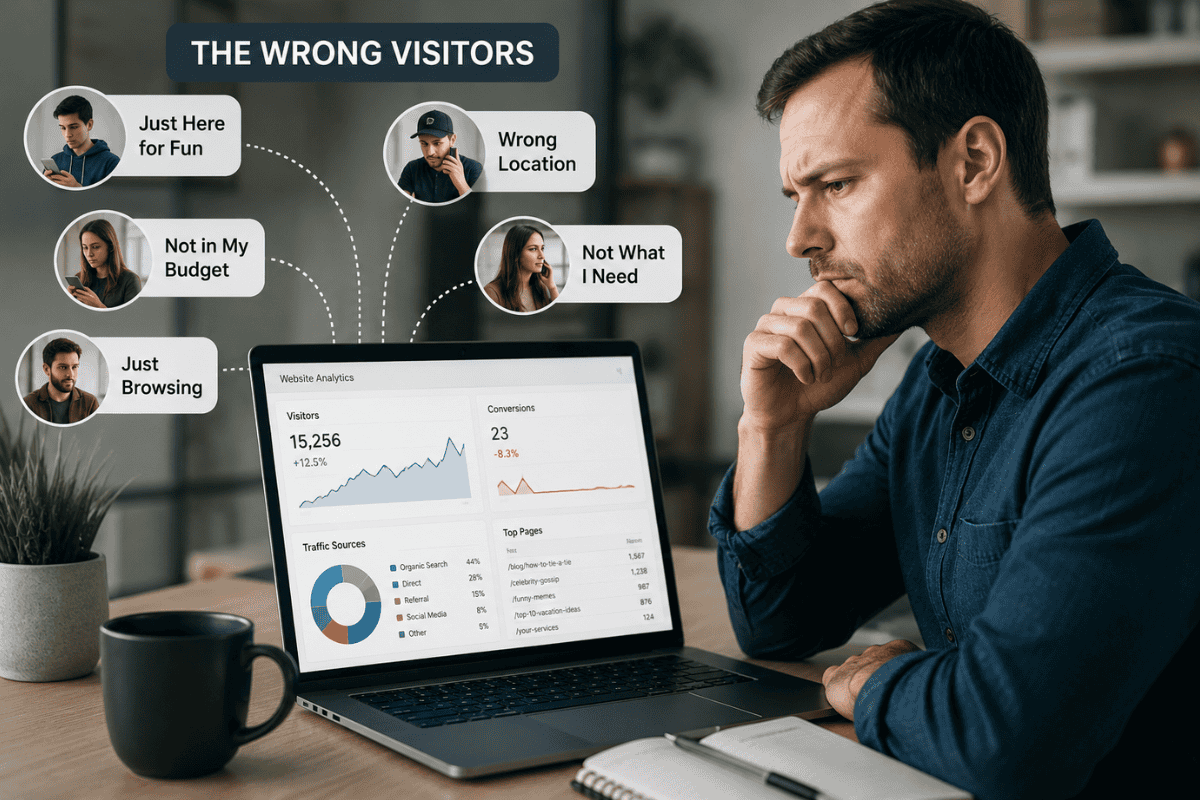
One of the most common reasons for traffic but no conversions is simple: you’re attracting the wrong audience. Not all website traffic has the same value. A visitor who is researching a broad topic, comparing prices, or looking for a free solution may never become a lead, even if your page is well designed.
This often happens when SEO targets keywords with weak buying intent. For example, a local service provider may rank for informational keywords that bring traffic, but those visitors are not ready to book, call, or request a quote. The same issue can happen with paid ads when targeting is too broad or the landing page does not match the ad message.
To diagnose this issue, check your analytics by traffic source. Look at which channels bring visitors, how long those users stay, which pages they view, and whether they reach conversion points. If one source has a high bounce rate and low lead generation, the problem may be audience quality, not website design.
Conversion optimization starts with relevance. Your website must attract the right audience and give that audience a clear path to take action.
Your Website Messaging Is Not Clear Enough
When website traffic isn’t converting, unclear messaging is often one of the first problems to fix. Visitors should understand what you offer, who you help, and why your business is the right choice within a few seconds. If your headline is vague, your service descriptions are generic, or your value proposition is buried too far down the page, users may leave before they understand the offer.
Strong messaging answers the visitor’s silent questions quickly. Am I in the right place? Can this business solve my problem? Why should I choose them instead of another option? What should I do next? If the page does not answer those questions, even qualified traffic may not convert.
A common issue is writing from the business’s perspective instead of the customer’s perspective. Phrases like “full-service solutions” or “quality service” sound polished, but they do not explain the real outcome. Better messaging connects the service to a specific problem, result, or next step.
To improve website conversion, make your message specific, benefit-driven, and easy to scan. Clear copy reduces confusion, builds confidence, and helps visitors move closer to becoming leads.
Poor UX Design and Navigation Are Creating Friction
Poor UX design can quietly turn qualified website traffic into lost opportunities. If visitors struggle to understand your page, find key information, or move through your navigation, they are less likely to take action. A website may look modern and still fail if the user experience creates too much effort.
Friction shows up in simple ways. Menus may be overloaded. Service pages may be hard to find. Contact buttons may be hidden. Forms may ask for too much information. Important details may be scattered across multiple pages instead of being easy to access. Each small obstacle makes conversion less likely.
Good website user experience removes confusion. It helps visitors move from interest to action without guessing what to do next. For small businesses, that means clear navigation, readable page layouts, obvious CTAs, and service pages that answer common questions before a prospect has to ask.
UX also affects trust. A confusing or outdated website design can make visitors question whether the business is reliable. A clean, intuitive experience sends the opposite message: this company is organized, credible, and ready to help.
Slow Load Times Are Costing You Leads

Slow load times are one of the fastest ways to lose website visitors before they ever read your message. If a page feels delayed, users may assume the business is outdated, unreliable, or not worth waiting for. This is especially true on mobile devices, where people expect pages to load quickly and work smoothly.
A common conversion issue happens when a website takes more than three seconds to load. Even interested visitors may leave before seeing your offer, testimonials, or call to action. That creates a high bounce rate and makes it look like your traffic is low quality when the real problem is performance.
Slow pages can come from oversized images, unnecessary scripts, poor hosting, bloated design elements, or unoptimized plugins. These issues affect both website user experience and conversion rate. Search engines also care about page experience, so speed can influence visibility as well as lead generation.
To diagnose the issue, test important pages with PageSpeed Insights. Focus first on your homepage, service pages, landing pages, and any page receiving paid traffic. Faster pages keep visitors engaged long enough to convert.
Your Mobile Experience Is Hurting Website Conversions
Your mobile experience can make or break website conversion. Many small business owners review their website on a desktop computer, but a large share of visitors are often coming from mobile devices. If the mobile version is hard to read, slow to load, or difficult to navigate, qualified traffic may leave without becoming a lead.
Mobile conversion issues usually appear in small details. Text may be too small. Buttons may be difficult to tap. Contact forms may feel frustrating. Images may push important content too far down the page. A call to action may look obvious on desktop but disappear below several scrolls on a phone.
This matters because mobile visitors often have high intent. They may be searching for a local service, comparing providers, or trying to take quick action. If your website isn’t converting those visitors, the issue may not be traffic quality. It may be mobile friction.
To improve mobile lead generation, simplify layouts, shorten forms, make CTAs easy to tap, and keep the most important message near the top of the page. A better mobile experience helps visitors move faster from interest to action.
Weak or Hidden CTAs Are Preventing Visitors From Taking Action
When visitors don’t convert, the problem is sometimes as simple as an unclear call to action. A website can have strong traffic, helpful content, and a good design, but if the next step is not obvious, people may leave without contacting you. Visitors should never have to guess whether they should call, book, request a quote, or fill out a form.
Weak CTAs often use vague language such as “Learn More,” “Submit,” or “Get Started” without explaining what happens next. Hidden CTAs create another problem. If your main button only appears at the bottom of the page, mobile users and fast-scanning visitors may never see it.
Effective conversion points are specific, visible, and repeated naturally throughout the page. A service page might include CTAs near the top, after the value proposition, beside testimonials, and again near the bottom. Each one should connect to the visitor’s intent.
To optimize CTAs, use action-focused language that lowers uncertainty. Phrases like “Book a Strategy Call,” “Request a Website Audit,” or “Schedule a Consultation” make the next step clear. Strong CTAs guide visitors toward taking action instead of letting interest fade.
Your Landing Pages Are Not Matched to Search Intent
Landing page optimization starts with intent. A visitor who clicks from SEO, paid ads, or social media expects the page to match the promise that brought them there. If the message, offer, or content feels disconnected, the visitor may leave quickly even if the website looks professional.
This is a common issue with traffic but no conversions. An ad may promote a specific service, but the click sends users to a general homepage. A blog post may attract informational traffic, but the page does not guide readers toward a relevant next step. A keyword may rank, but the content may not answer what the searcher actually wanted.
Message match is critical. The headline, page copy, visuals, trust signals, and CTA should all support the same goal. When the landing page reflects the visitor’s original intent, the conversion funnel feels natural instead of forced.
To improve website conversion, review your highest-traffic landing pages by keyword and traffic source. Make sure each page answers the user’s question, supports the offer, and gives visitors a clear reason to take the next step.
You Are Not Building Enough Trust to Convert Visitors
Visitors rarely become leads when they feel uncertain. Even if your website has the right traffic, clear messaging, and strong service pages, people may hesitate if they do not see enough proof that your business can deliver. Trust signals help reduce that hesitation and make taking action feel safer.
Strong trust signals include testimonials, reviews, case studies, client logos, certifications, before-and-after examples, and recognizable partnerships. For service businesses, these elements are especially important because prospects are not just buying a product. They are choosing expertise, communication, reliability, and results.
Social proof works best when it appears close to conversion points. A testimonial near a contact form, a case study summary on a service page, or reviews beside a CTA can reinforce confidence at the exact moment someone is deciding whether to move forward.
Weak trust signals can create doubt. Generic claims, missing reviews, outdated testimonials, or no visible proof may make visitors compare other options before contacting you. To build trust, show real evidence of outcomes, explain your process clearly, and make your business feel credible, active, and easy to verify.
You Are Not Tracking the Right Website Conversion Data
If your website traffic is not converting, guessing will not fix the problem. You need data that shows where visitors come from, what they do on the page, and where they leave. Without proper tracking, a business may blame SEO, ads, design, or pricing without knowing which issue is actually blocking lead generation.
Start by checking your analytics. In Google Analytics, review traffic source performance, conversion rate, bounce rate, page engagement, and key events. Look for patterns. Does one landing page receive traffic but no leads? Are users coming from mobile but not completing forms? Do visitors reach your service page but never click the CTA?
Tracking should focus on actions that matter. Calls, form submissions, booked appointments, email signups, and quote requests are stronger indicators than pageviews alone. A website with high traffic but no conversions may look successful on the surface while quietly failing at lead generation.
When you’re not tracking the right conversion points, optimization becomes guesswork. Better data helps you identify friction, prioritize fixes, and improve results without wasting money on more traffic.
How Microsoft Clarity and Session Recordings Reveal Conversion Issues
Analytics can show that visitors are leaving, but behavior tools can help explain why. Microsoft Clarity gives small businesses a clearer view of how people actually interact with a website. Instead of relying only on numbers, you can watch session recordings, review heatmaps, and identify friction points that may be hurting website conversion.
Session recordings reveal details that standard analytics often miss. You may see visitors scroll past your CTA, hesitate near a form, click on elements that are not clickable, or abandon the page after encountering confusing navigation. These patterns show where the user experience is creating resistance.
Heatmaps can also reveal whether important content is being seen. If users never scroll far enough to reach testimonials, service details, or conversion points, those elements may need to move higher on the page. If people repeatedly click a headline, image, or icon expecting it to open something, the design may be misleading.
This type of insight is valuable because it connects user behavior to CRO decisions. Instead of redesigning pages based on opinion, you can optimize based on real visitor activity. Better visibility into behavior helps you remove friction, strengthen CTAs, and guide more visitors toward taking action.
Conversion Optimization Strategies That Fix Website Performance
Conversion optimization is the process of improving your website so more visitors become leads, customers, or sales. Instead of asking how to get more traffic, CRO asks a better question: what is stopping current visitors from taking action?
Start with your highest-impact pages. These usually include your homepage, core service pages, landing pages, and pages that receive paid traffic. Review each page for message clarity, page speed, mobile usability, trust signals, CTA visibility, and alignment with the visitor’s intent. Small improvements in these areas can lift conversion rate without increasing ad spend.
Strong CRO also connects design and strategy. A better headline can clarify the value proposition. A shorter form can reduce friction. A testimonial near the CTA can build trust. A cleaner layout can help visitors focus. A stronger landing page can turn high-intent traffic into leads more consistently.
Testing matters too. Use analytics, session recordings, and conversion tracking to compare what you think is happening against real user behavior. Over time, conversion rate optimization helps you build a website that does more than attract traffic. It turns qualified visitors into measurable business opportunities.
How to Turn Website Traffic Into Paying Customers
Turning website traffic into paying customers requires a complete path from discovery to decision. A visitor should not land on your website, read one page, and wonder what to do next. Every important page should guide people toward a logical action based on their intent, whether that is booking a call, requesting an audit, reading a case study, or learning more about your services.
This is where SEO, website design, digital marketing, and CRO need to work together. SEO helps attract the right audience. Strong website design keeps visitors engaged. Clear messaging explains the value. Trust signals reduce hesitation. Conversion points turn interest into leads. Without that full system, traffic can increase while leads remain flat.
The best approach is to audit the entire conversion funnel. Look at where visitors enter, which pages they view, which CTAs they click, and where they abandon the process. Then improve the weakest points first. Sometimes the fix is a better landing page. Other times it is a stronger call to action, faster mobile experience, clearer offer, or more persuasive testimonial.
When your website is built to guide users, existing traffic becomes more valuable. You do not always need more visitors. You need more of the right visitors taking the right next step.
Book a Website Conversion Strategy Call to Fix Traffic That Is Not Converting
If your website is getting traffic but no leads, something is blocking conversions. It may be unclear messaging, weak CTAs, slow load times, poor mobile experience, missing trust signals, or a conversion funnel that does not guide visitors toward taking action. The good news is that many of these issues can be identified and improved without increasing your ad spend or chasing more traffic.
Innovative Flare helps small businesses turn website visitors into real business opportunities through strategy, website design, SEO, digital marketing, and conversion optimization. Instead of guessing why your website isn’t converting, we look at the full experience: where visitors come from, what they see, how they interact, and what stops them from becoming leads.
If you are getting traffic but no conversions, now is the time to fix the friction. Let’s identify the issues, optimize your website experience, and turn more visitors into paying customers.
Book your website conversion strategy call today.
FAQs About Why Website Traffic Is Not Converting
Why is my website traffic not converting?
Your website traffic may not be converting because visitors are not finding a clear reason to take action. Common issues include weak messaging, poor UX design, slow load times, missing trust signals, unclear CTAs, or traffic that does not match your offer.
Why am I getting traffic but no leads?
Traffic but no leads usually means there is a gap between visibility and conversion. Your website may be attracting visitors, but the page experience, call to action, landing page, or conversion funnel may not be strong enough to turn interest into contact.
What is a good website conversion rate?
A good website conversion rate depends on your industry, offer, traffic source, and goal. Instead of focusing only on benchmarks, compare your current conversion rate against your own past performance and look for steady improvement.
How do I know if I am attracting the wrong website visitors?
Check your analytics by traffic source, keyword, landing page, bounce rate, engagement, and conversions. If visitors leave quickly, view only one page, or never reach your conversion points, you may be attracting traffic that is not aligned with your business.
How does UX design affect website conversions?
UX design affects conversions by shaping how easily visitors can understand your offer, navigate your website, find important information, and take action. Confusing design creates friction, while clear UX helps users move confidently through the conversion funnel.
Why do visitors leave my website without taking action?
Visitors may leave without taking action because the page loads slowly, the message is unclear, the CTA is hidden, the offer feels generic, or the website does not build enough trust. Session recordings can help reveal the exact friction points.
How can I improve landing page conversions?
Improve landing page conversions by matching the page to user intent, strengthening the headline, clarifying the value proposition, adding testimonials, improving mobile usability, reducing form friction, and placing strong CTAs throughout the page.
What tools help diagnose website conversion problems?
Google Analytics can show traffic sources, conversions, bounce rate, and user behavior trends. Microsoft Clarity can show heatmaps and session recordings that reveal where visitors click, scroll, hesitate, or abandon the page.
Can conversion optimization increase leads without more traffic?
Yes. Conversion optimization can increase leads by improving how existing visitors experience your website. Better CTAs, faster pages, clearer messaging, stronger trust signals, and improved UX can generate more leads from the same traffic.
When should I get a website conversion audit?
You should get a website conversion audit when your website is getting traffic but no leads, your ad spend is rising without better results, your bounce rate is high, or visitors are not completing important actions like forms, calls, or bookings.